

Nurbid IT Services - Logo Only

Nurbid Tab-Tamer

Organize, search, filter, manage, and control your Chrome Tabs and Tab Groups with powerful drag-and-drop functionality and intuitive controls.

Quick Guide

Mouse over the dots to learn more about each feature.

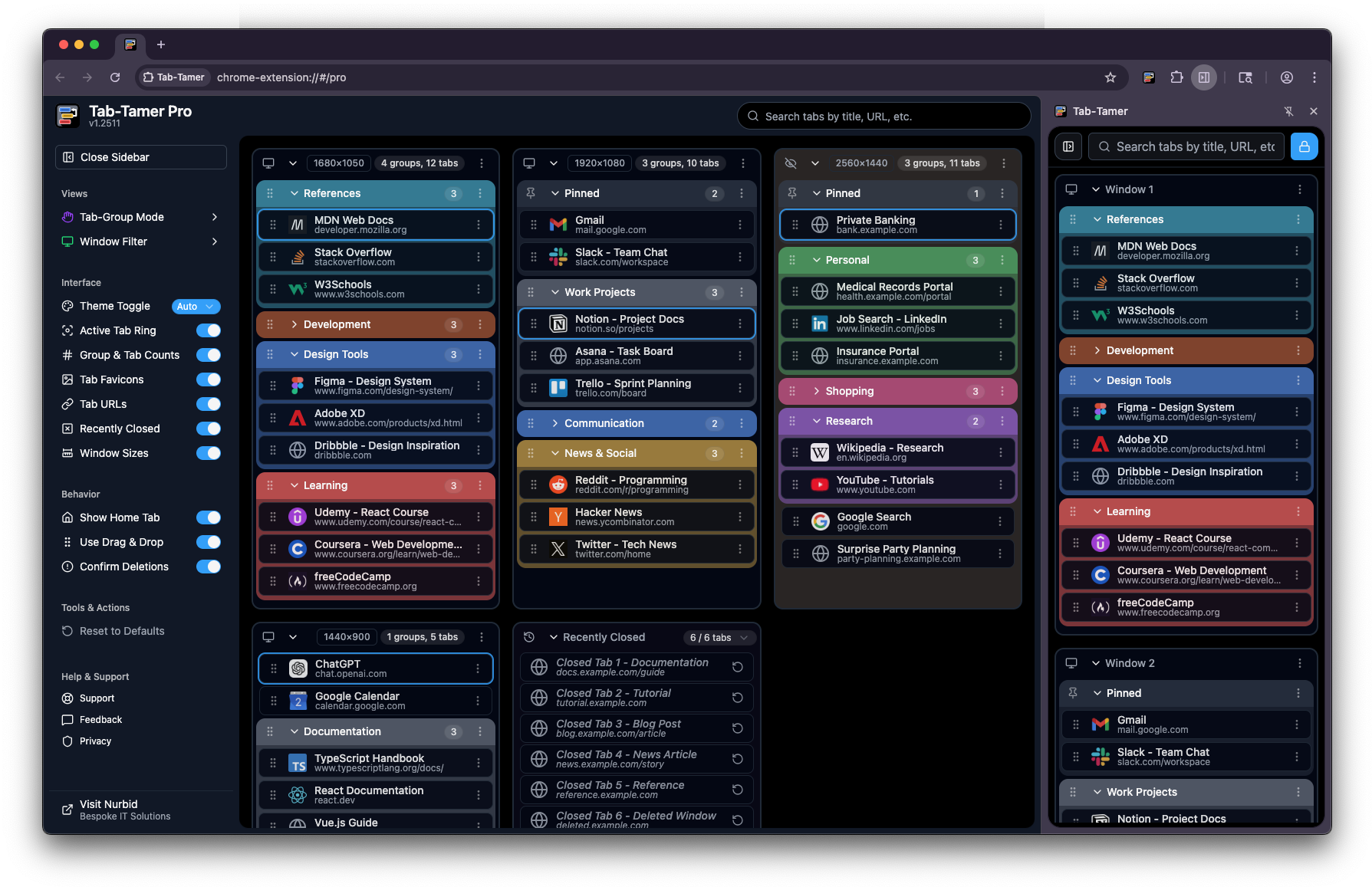
Tab-Tamer puts every window, group, and tab in one place. This annotated view shows where each control lives and how the Free (side panel) and Pro (full interface) experiences differ. Hover the pulsing markers to see what each area does.
Pro
(Full Interface)

Free
(Sidepanel Only)

Tab-Tamer Pro vs Free Interface
Tab-Group Mode Control how tab groups display on load (Mirror Chrome, All Open, All Closed, or Manual)
Window Filter Multi-select filtering to show/hide specific windows
Interface Settings Customize appearance & layout by toggling on/off various elements
Behavior Settings Configure core actions
Tools & Actions (more coming soon!)
Help & Support Support, feedback, privacy, etc.
Search & Filter Tabs Real-time search and filtering of tabs by title, URL, or content
Multi-Window View View and manage all browser windows in one unified interface
Show Window Sizes See each window's pixel dimensions (H × W)
Pinned Tabs Section Pinned tabs displayed separately at the top of each window
Incognito Support Works seamlessly across regular and incognito windows
Color-Coded Groups Visual organization with Chrome's native color-coding system
Group & Tab Counts Badge counters showing number of tabs in groups and windows
Drag & Drop Reordering Organized tabs and groups via drag-and-drop
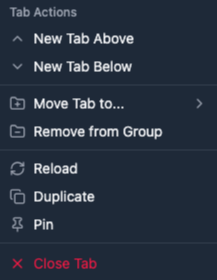
Actions Dropdowns Context menus for windows, groups, and tabs with quick actions mirroring Chrome's native behaviors Tab Actions
Collapsible Window & Group Sections Expand or collapse windows and tab groups to reduce clutter
Chrome Side Panel Free version only loads in the Chrome Side Panel, Pro version can be accessed in the Side Panel or in a Pinned Tab.

Feature Comparison

See exactly what you can do with each version.

Free covers the essentials in Chrome’s side panel; Pro adds the full pinned-tab experience, deeper window and group controls, and MANY Pro-only behaviors. Use the table below to match the version to how you actually work; no guesswork about what’s included.

Ready to tame your tabs?

Start for free, and upgrade when you need more power.

Install the Free extension to get immediate relief from tab sprawl; if you outgrow the side panel–only layout and want Pro-only tools, you can upgrade at any time. Pick the tier that fits today, as you can always move up when your browser habits get more demanding.